Security features for a Fintech app
Kash enables users to securely send and receive funds electronically. To further enhance user trust and security, two additional features: "Available Devices" and "Transaction Pin Setup” are requested to be compliant. This development focuses on improving user experience while maintaining the highest standards of data protection.
Design process
User Research: User flows, Customer Journey, Best practices, Benchmarking, Mental Models.
Interviews with Cybersecurity agents, Bank Compliance teams and different stakeholders
Define user experience and components required to accomplish these setups in the application.
Collaborated with security experts to identify potential vulnerabilities and establish robust security measures.
Objectives
Enhanced Security: Administrators can proactively manage devices to prevent unauthorized access and potential fraud.
User Convenience: Users can easily report lost or compromised devices, providing a sense of security.
Risk Mitigation: By monitoring device activities, administrators can identify and address potential security breaches.
Compliance: The feature ensures compliance with the signing bank security standards and regulations.
Improved User Experience: Secure device management contributes to overall trust in the application.
The Solution
Setting up a Transfer Security Code
Users need assurance that their money transfers are carried out securely and without unauthorized access. The current lack of an additional security layer may lead to concerns about data breaches and fraudulent transactions.
Designed a "Security Code Setup" section within the user's account settings, allowing users to enable and customize the security code feature.
Provided options for users to choose a 4-digit security PIN, that will need to be entered before they send money to a 3rd party.
Implemented a step-by-step guide for users to set up and/or change their chosen security code, with clear instructions and visual cues.
Security code configuration
After the trigger:
The user must choose a non-consecutive 4-digit security code.
The selected number must appear as entered in the space and then change to a dot to remain invisible.
As requirements are met, change the instructions' icon to green so the user understands they are fulfilling the objectives.
In case of an error, activate the error status in all code spaces and mark the instructions in red. Upon entering a valid code, the CTA (Call to Action) will automatically activate.
Repeat Security Code:
The user must repeat the recently entered security code, and it must match. In case of an error, show the user that the codes do not match.
The user should have the ability to return to the previous screen and enter a new code if they've made a mistake.
If the codes match, the "Continue" CTA activates, and the user can proceed.
Code Confirmation:
A confirmation screen for the code configuration appears, and when the user clicks the CTA, they should be returned to the original location in the process.
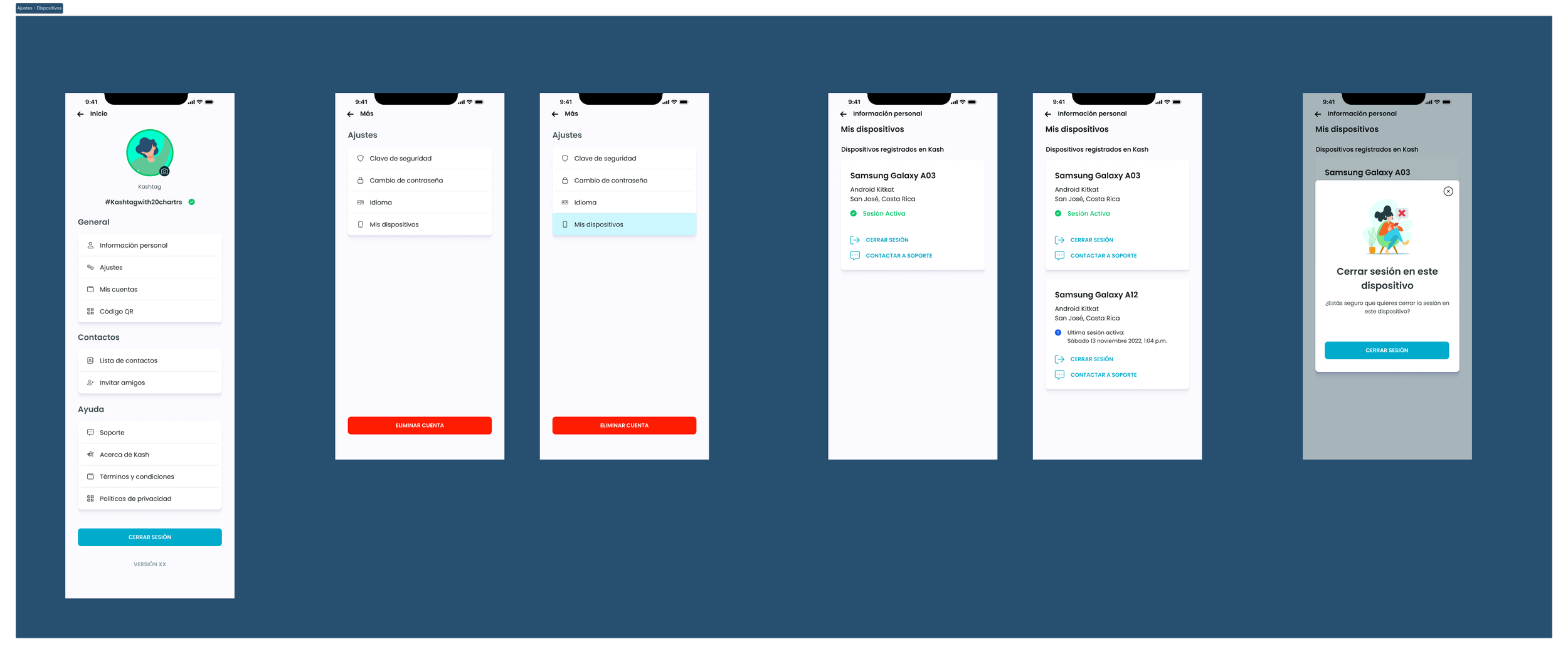
Multiple devices approved
Security considerations
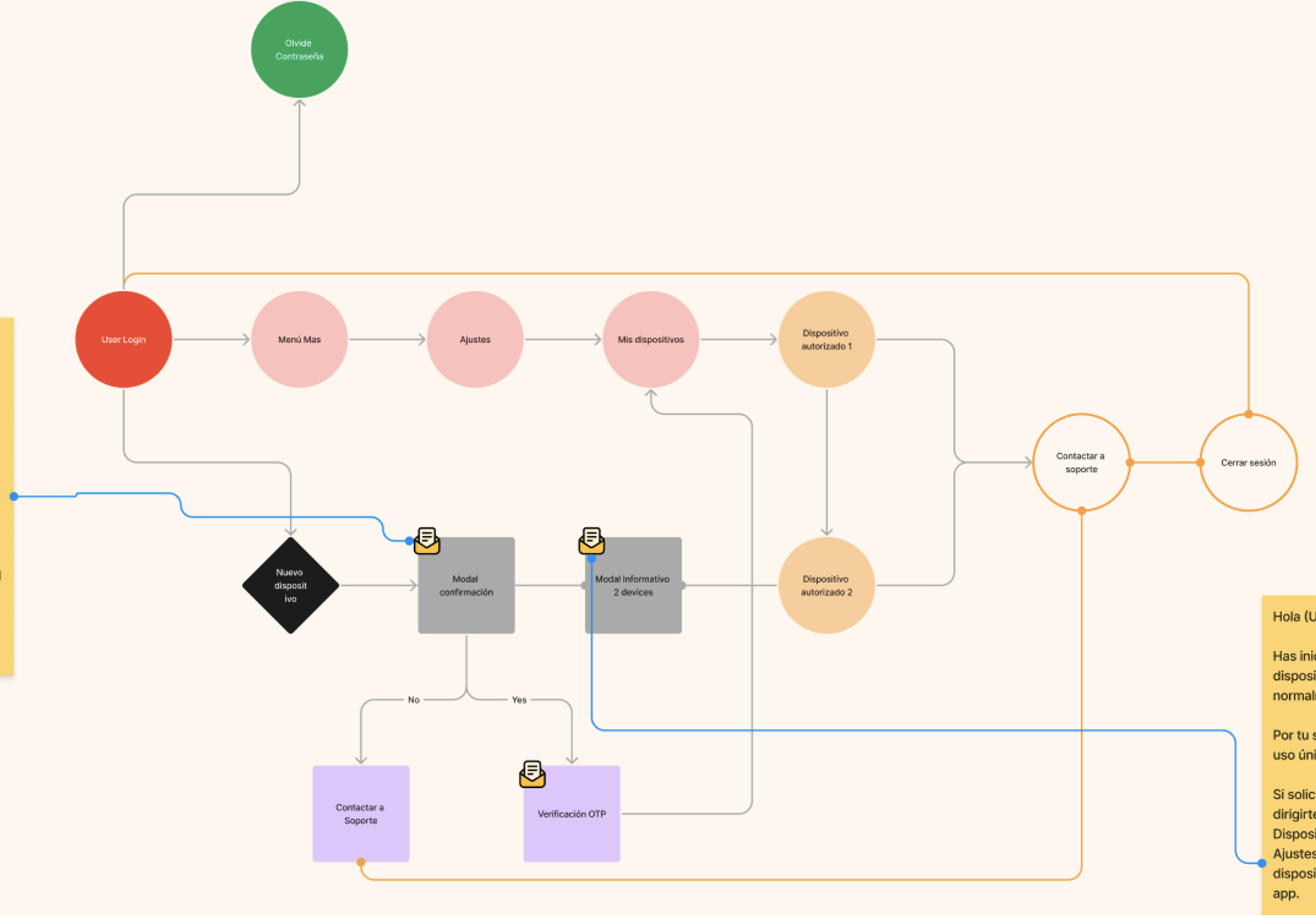
The device where Kash is first registered will be considered as the "Default."
Kash will only allow a single active session per user simultaneously. If a second session is opened, the other session must be closed.
Kash will not allow logins from any device other than the "Default" within the first 10 days after registration; this is not visible to the user.
Kash admin will have the device data and its date along with the counter. In case the user contacts Support, support can provide information about this condition. In the event of a theft of the original device, Support must establish a security protocol.
Kash will allow the first 5 transactions from the registering device.
Allow a maximum of 3 unique user registrations per device. The 4th registration should not be allowed on that device.
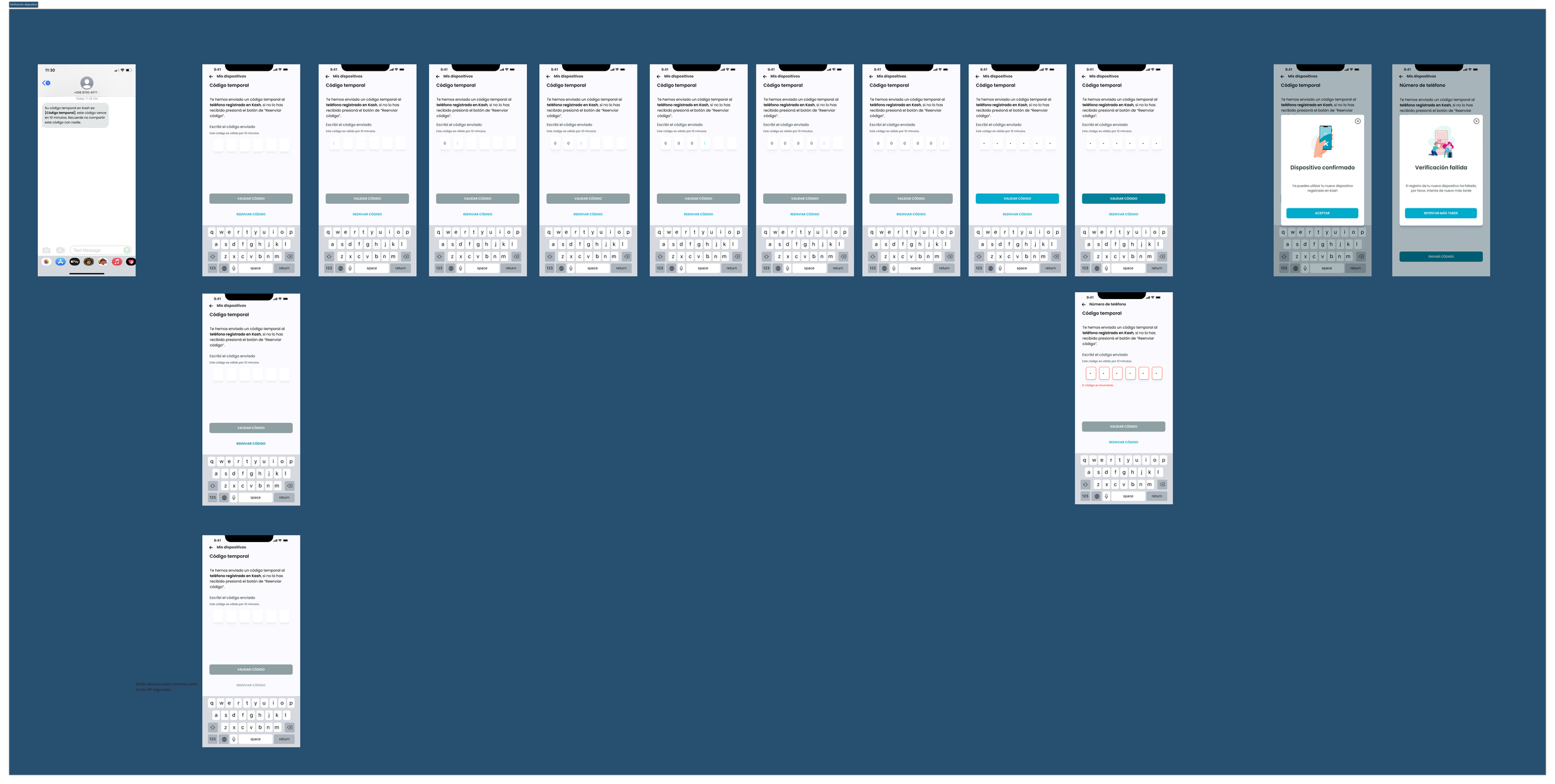
Highlight the "DO NOT SHARE YOUR OTP WITH ANYONE" message in the OTP SMS.
Send informative emails to the users' registered email addresses to notify them whenever a login occurs on new devices.
Metrics to be observed
Failed registration attempts on a new device
Number of devices registered per account
Average of registrations from multiple devices
Outcomes
Through a collaborative effort with the development team and input from key stakeholders, we've met industry standards for security in financial transactions.
The continued user observation have resulted in a good user experience while maintaining standards of data protection.
Looking ahead, this project sets a precedent for continuous improvement and adaptation to emerging security challenges.